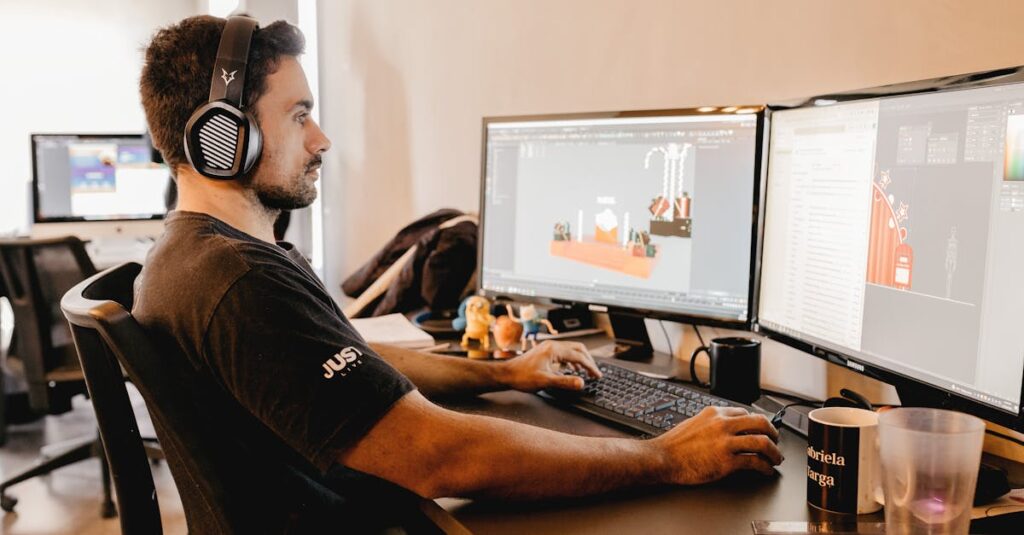
As a competitive gamer I’ve discovered that pushing beyond 240Hz can be a game-changer for esports and fast-paced gaming. These cutting-edge monitors have revolutionized how we experience gaming with their ultra-smooth motion and incredibly responsive gameplay.
I’ll dive into the world of monitors that break the 240Hz barrier exploring how they can give you a competitive edge. From reduced motion blur to minimal input lag these displays represent the pinnacle of gaming technology. Whether you’re a professional esports athlete or simply someone who demands the absolute best gaming experience these monitors deliver unparalleled performance that was unimaginable just a few years ago.
Key Takeaways
- Monitors exceeding 240Hz refresh rates (300Hz-500Hz) provide ultra-smooth motion and reduced motion blur, making them ideal for competitive gaming and esports
- Latest 360Hz monitors like ASUS ROG Swift PG259QNR and Alienware AW2523HF feature Fast IPS panels with response times as low as 0.5ms and adaptive sync technologies
- High-end GPUs like RTX 4090 and RX 7900 XTX are essential for achieving 300+ fps needed to fully utilize these monitors’ high refresh rates
- Modern high refresh rate monitors maintain excellent image quality with features like HDR support, 10-bit color depth, and factory calibration
- Common myths about high refresh rates are incorrect – human eyes can perceive differences above 240Hz, and these displays benefit both casual and competitive gamers
What Makes a Monitor Over 240 Hz Different
Monitors exceeding 240 Hz refresh rates represent cutting-edge display technology that sets new standards for motion clarity and responsiveness in gaming. These displays operate at refresh rates of 300 Hz, 360 Hz, or even 500 Hz, delivering unprecedented smoothness in visual feedback.
Understanding Refresh Rates and Response Times
A monitor’s refresh rate measures the number of times the display updates per second, while response time indicates how quickly pixels change colors. Monitors over 240 Hz refresh their images more than 240 times every second, creating ultra-fluid motion with minimal ghosting or blur. The response times in these displays typically range from 0.5ms to 1ms GTG (Gray-to-Gray), enabling crystal-clear tracking of fast-moving objects.
Key specifications:
| Specification | Standard Range |
|---|---|
| Refresh Rate | 300-500 Hz |
| Response Time | 0.5-1ms GTG |
| Frame Time | 2-3.3ms |
| Input Lag | <2ms |
Benefits of Ultra-High Refresh Rates
The advantages of monitors exceeding 240 Hz include:
- Reduced motion blur during rapid camera movements
- Enhanced target tracking in first-person shooters
- Decreased system input latency for faster reactions
- Smoother mouse cursor movement across the screen
- Clearer text readability while scrolling
- Reduced eye strain during extended gaming sessions
- Competitive FPS games like CS:GO, Valorant & Overwatch
- Fast-paced racing simulators
- Fighting games requiring frame-perfect inputs
- Battle royale titles with constant player movement
Top Gaming Monitors Above 240 Hz
High-refresh gaming monitors exceeding 240 Hz deliver exceptional performance for competitive gaming. These displays represent the pinnacle of gaming monitor technology, offering ultra-smooth visuals and minimal input lag.
360 Hz Premium Options
Premium 360 Hz gaming monitors deliver cutting-edge performance with top-tier specifications.
ASUS ROG Swift PG259QNR
- 24.5″ FHD IPS panel
- 1ms GTG response time
- NVIDIA G-SYNC
- NVIDIA Reflex Latency Analyzer
- HDR10 support
Alienware AW2523HF
- 24.5″ FHD Fast IPS panel
- 0.5ms GTG response time
- AMD FreeSync Premium Pro
- ComfortView Plus technology
- Native sRGB 99% color coverage
Acer Predator X25
- 24.5″ FHD IPS display
- 0.7ms GTG response time
- NVIDIA G-SYNC
- LightSense ambient light sensor
- RGB lighting features
Budget-Friendly 300 Hz Alternatives
300 Hz monitors provide excellent performance at a more accessible price point.
MSI Oculux NXG253R
- 24.5″ FHD Fast IPS panel
- 1ms GTG response time
- NVIDIA G-SYNC
- Night Vision technology
- Gaming OSD App 2.0
- 24.5″ FHD IPS display
- 1ms GTG response time
- AMD FreeSync Premium
- Elite RGB ambient lighting
| Monitor Model | Refresh Rate | Response Time | Panel Type | Adaptive Sync |
|---|---|---|---|---|
| ROG Swift PG259QNR | 360 Hz | 1ms | IPS | G-SYNC |
| Alienware AW2523HF | 360 Hz | 0.5ms | Fast IPS | FreeSync Premium Pro |
| MSI Oculux NXG253R | 300 Hz | 1ms | Fast IPS | G-SYNC |
| ViewSonic Elite XG251G | 300 Hz | 1ms | IPS | FreeSync Premium |
Essential Features for High Refresh Gaming
High-performance gaming monitors above 240Hz require specific features to maximize their potential. These essential features ensure optimal performance during high-speed gaming sessions.
Adaptive Sync Technologies
Adaptive sync technologies eliminate screen tearing in monitors exceeding 240Hz refresh rates. NVIDIA G-SYNC and AMD FreeSync Premium Pro synchronize the monitor’s refresh rate with the graphics card’s frame output, creating seamless gameplay between 240-500Hz. G-SYNC monitors include dedicated hardware modules that provide additional benefits:
- Variable overdrive optimization for clearer motion
- Ultra-low motion blur (ULMB) compatibility
- Certified input lag reduction of <2ms
- Frame pacing consistency at high refresh rates
Panel Types and Color Performance
IPS panels dominate the ultra-high refresh rate monitor segment due to their superior color reproduction and viewing angles. Modern Fast IPS panels deliver:
| Panel Specification | Performance Metrics |
|---|---|
| Color Gamut | 95-100% DCI-P3 |
| Brightness | 400-500 nits |
| Contrast Ratio | 1000:1 |
| Viewing Angles | 178°/178° |
- 0.5ms GTG response times
- Limited color reproduction (72% NTSC)
- Narrower viewing angles
- Lower contrast ratios (800:1)
Hardware Requirements for Ultra-High Refresh Gaming
Gaming at refresh rates above 240Hz demands robust hardware components to maintain consistent frame rates that match the monitor’s capabilities. The following specifications ensure optimal performance for ultra-high refresh rate gaming.
Recommended GPU Specifications
High-end graphics cards power ultra-high refresh rate gaming effectively:
- NVIDIA RTX 4090 delivers 300+ fps in competitive titles
- RTX 4080 maintains 240+ fps in most esports games
- RTX 4070 Ti handles 240Hz in optimized competitive settings
- AMD RX 7900 XTX performs similarly to the RTX 4080
- RX 7900 XT achieves 240+ fps in esports titles
| GPU Model | 1080p Average FPS (Competitive Settings) |
|---|---|
| RTX 4090 | 400-700 |
| RTX 4080 | 300-500 |
| RX 7900 XTX | 280-450 |
| RTX 4070 Ti | 250-400 |
| RX 7900 XT | 240-380 |
- CPU limitation becomes apparent above 240 fps
- RAM speed impacts frame time consistency
- PCIe bandwidth affects data transfer rates
- Storage speed influences texture loading times
| Component | Minimum Specification |
|---|---|
| CPU | Intel i7 13700K / AMD R7 7800X3D |
| RAM | 32GB DDR5-6000 |
| Storage | PCIe Gen 4 NVMe SSD |
| Power Supply | 850W Gold rated |
| Motherboard | PCIe 4.0 x16 support |
Common Myths About High Refresh Rate Gaming
“Human Eyes Can’t See Above 60 FPS”
The human eye processes visual information continuously rather than in discrete frames. Scientific studies demonstrate that trained observers distinguish visual changes at up to 500 frames per second in specific scenarios. Professional gamers routinely report noticeable improvements when moving from 240Hz to 360Hz displays.
“Higher Refresh Rates Only Matter for Pro Gamers”
High refresh rates benefit various gaming scenarios beyond professional play:
- Casual gaming experiences enhanced smoothness in character movements
- Story-driven games display more fluid cinematics
- Racing games show clearer track details during high-speed sequences
- Strategy games present smoother scrolling across large maps
“240Hz+ Monitors Create Input Lag”
Modern gaming monitors exceeding 240Hz feature reduced input lag compared to lower refresh rate displays:
- 360Hz monitors achieve input lag under 2ms
- Advanced processing technologies minimize signal delays
- Direct connection modes bypass unnecessary image processing
- Native refresh rate operation maintains optimal responsiveness
“All High Refresh Monitors Look the Same”
Display technologies in 240Hz+ monitors vary significantly:
- IPS panels offer superior color accuracy
- TN panels provide faster response times
- VA panels deliver better contrast ratios
- Mini-LED backlight systems enhance HDR performance
“High Refresh Rates Drain GPU Performance”
Frame generation technologies optimize performance:
- NVIDIA DLSS 3 generates additional frames
- AMD FSR 3 increases frame rates with minimal quality loss
- Esports titles run efficiently at high frame rates
- Dynamic resolution scaling maintains smooth gameplay
“More Hz Means Worse Image Quality”
Modern high refresh rate monitors maintain image quality through:
- 10-bit color depth support
- HDR certification standards
- Factory calibrated color accuracy
- Advanced overdrive implementations
- Fighting games benefit from reduced input latency
- Racing simulators display clearer motion
- Action RPGs show smoother character animations
- MOBA games present fluid team fights
Gaming monitors above 240Hz represent the pinnacle of display technology for competitive gaming. I’ve shown how these cutting-edge displays deliver unmatched smoothness fluidity and responsiveness that can genuinely enhance your gaming experience.
Whether you’re a professional esports player or an enthusiast gamer the benefits of ultra-high refresh rates are substantial. I believe investing in a 300Hz+ monitor is worthwhile if you’re serious about competitive gaming and have the hardware to support these incredible refresh rates.
While these monitors come at a premium the advantages they offer in terms of reduced motion blur decreased input lag and overall gaming precision make them a compelling choice for those who want to push their gaming experience to the absolute limit.